ClientoraHQ One
Your store in one link: products, prices, bookings, and orders on WhatsApp. Paid in rupees.
See ClientoraHQ OneTrigify alternative
Trigify tracked LinkedIn signals: who engaged with which posts, who followed whom, who was hiring, and which topics were trending. After HubSpot bought the company, Trigify closed for standard customers on 22 October 2026. If you relied on it, here's an honest look at what ClientoraHQ covers, what it doesn't, and when another tool is the better pick.
Updated
$7.50 is deducted if you buy · Windows 10/11 + Google Chrome · Works in your own browser
HubSpot's purchase of Trigify was announced on 23 September 2026. Trigify's notice to customers said that access, integrations, the API and signal collection would end at 11:59pm BST on 22 October 2026 for standard customers, that accounts would not move to HubSpot, and that HubSpot would not use customer data. HubSpot has not announced a replacement product or a migration path.
So if your outbound ran on Trigify's signals, you now need another way to find people worth contacting.
| ClientoraHQ | Trigify (until 22 Oct 2026) | |
|---|---|---|
| Status | Available: Windows desktop app and web app | Closed for standard customers on 22 October 2026 |
| Main signal | People who wrote that they need a service ("looking for a web developer", "need help with our ads") | Engagement: who liked or commented on posts, follower changes, topics |
| Hiring signals | Yes: companies hiring for the work you sell, with a DM offering it as a service | Yes |
| Platforms | LinkedIn, Instagram, Facebook groups, email; local businesses (map data); Fiverr and Upwork projects | |
| After the signal | The AI scores each lead 0–100 and writes a comment and DM about what that person said; replies and follow-ups are handled, with your approval | Signals sent on to your CRM or outreach tool |
| How it runs | A Chrome extension in your own logged-in browser; no passwords shared; daily limits and gaps between messages | Cloud tracking of LinkedIn activity |
| Pricing | $300 one time (desktop, launch offer; normally $400) + your own Claude API usage; monthly web plans with a free plan | Monthly subscription |
| Integrations | A CRM webhook; no native HubSpot or Salesforce app yet | CRM and outreach tool integrations |
Trigify's status from its customer notice as reported by GTM Tech Index, and from Saava and Konsulteer, read on 15 November 2026. Trigify and HubSpot are trademarks of their owners; ClientoraHQ is not affiliated with either.
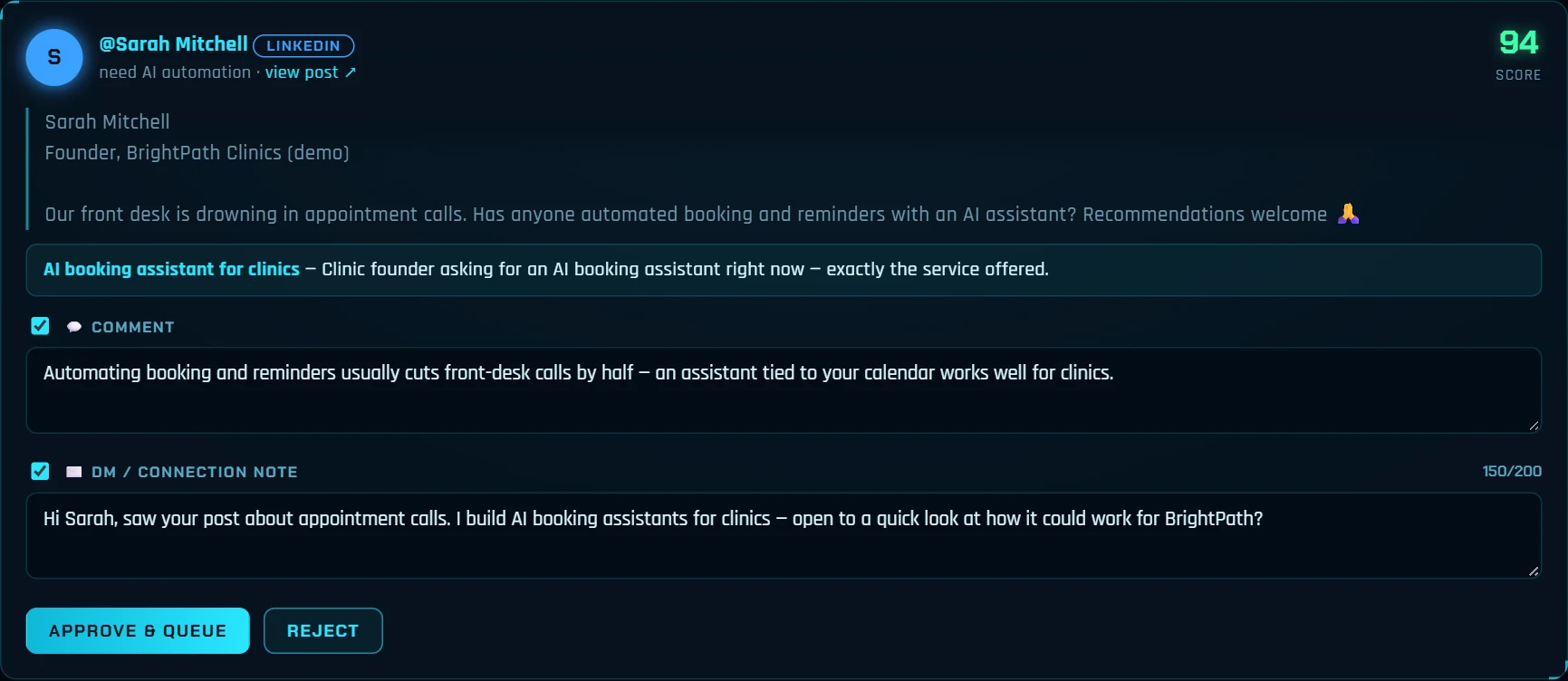
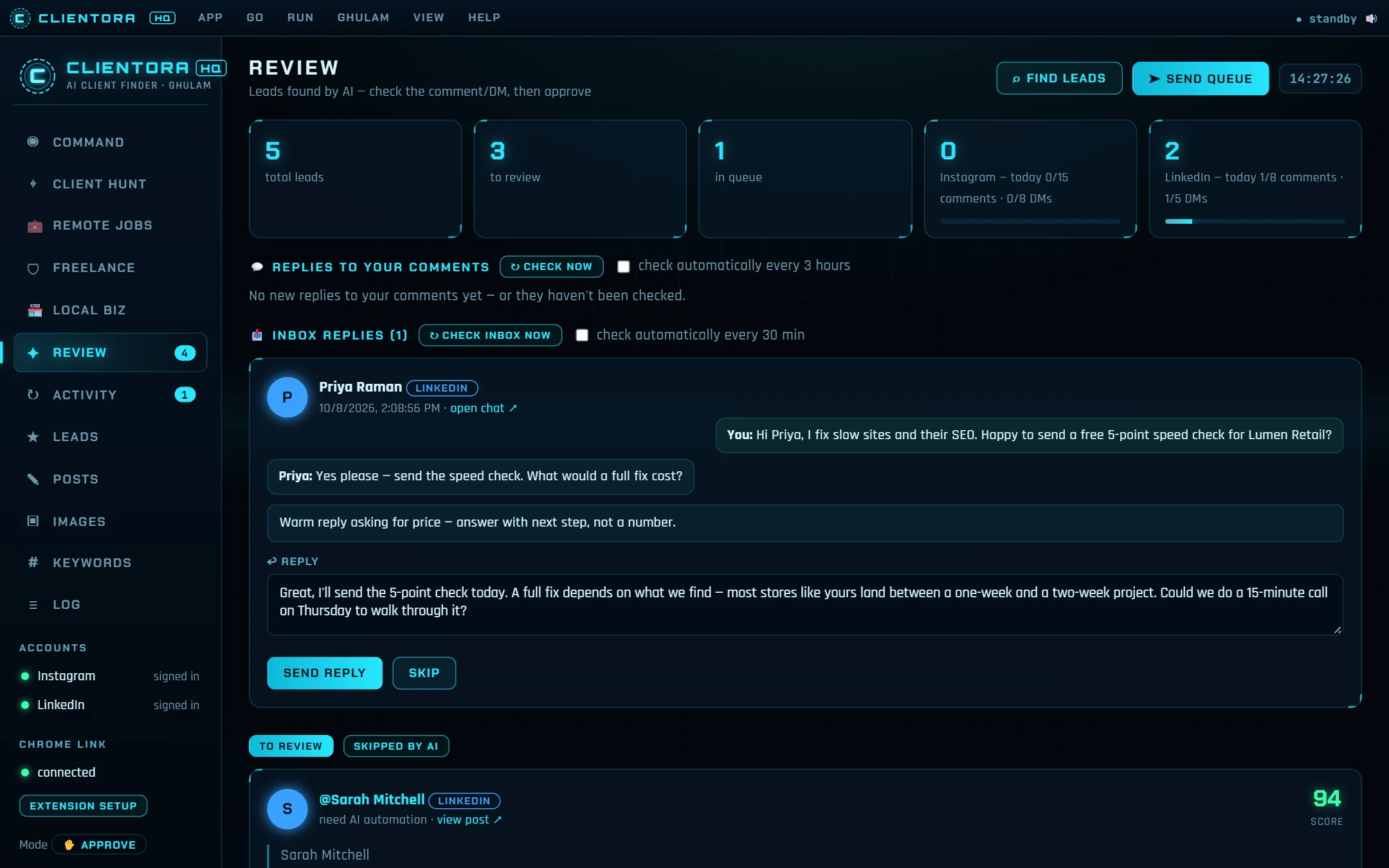
Read how the LinkedIn lead generation tool finds buyer posts, how hiring signals work, or compare it with Waalaxy. Not sure what your buyers post? Try the free Buyer Phrase Generator.
Yes, for standard customers. HubSpot's purchase of Trigify was announced on 23 September 2026, and Trigify's notice said access, integrations, the API and signal collection end at 11:59pm BST on 22 October 2026. Accounts do not move to HubSpot. Customers on other contract terms may have had different end dates.
No. Trigify watched engagement on LinkedIn: who liked or commented on posts, who followed whom, job changes and topics. ClientoraHQ looks for people who have written that they need a service, on LinkedIn, Instagram and Facebook groups, plus companies hiring for the work you sell and local businesses without a website. It covers the buying-signal part, not the engagement tracking.
Yes. Hiring Signals finds companies posting that they're hiring for the work you sell, then drafts a DM offering that work as a service. It never applies for the job. Recruiters, job boards and large enterprises score low.
Only if you choose that. By default every comment and DM waits for your approval. It works through a small Chrome extension in your own logged-in browser, never asks for your passwords, and keeps to daily limits with gaps between messages.
The Windows desktop app is $300 one time with the launch offer (normally $400), plus your own Claude API usage, billed by Anthropic. A 30-day trial costs $7.50 until 5 January 2027 and is deducted if you buy. Monthly web plans, including a free plan, are on platform.clientorahq.com.
The desktop app is Windows 10 and 11 only. On a Mac, use the web app on platform.clientorahq.com in Chrome.
Next step
Send a message with the contact form. We reply by email, usually within one working day — with the price, the 30-day trial ($7.50, deducted if you buy) or a short look at the app working for your niche.
Prefer email? support@clientorahq.com
A comment reply agent, a DM agent, a daily LinkedIn post agent and a freelance project finder that work while you're away. Buyers and payments still come to you.
Read moreFind people posting that they need your service, and Fiverr and Upwork projects that fit — with the message written for you.
Read moreA daily pipeline of scored buyers and local businesses, with outreach, follow-ups and replies drafted — your team only takes the calls.
Read moreWe run ClientoraHQ for your agency or business and send you people asking for your service, with the post, why they fit and a ready first message.
Read moreWebsites, custom web apps and SaaS, Flutter mobile apps and AI automation, built by the team behind ClientoraHQ. Price set on a free 15-minute call.
Read morePick a business type and a city — see who has no website, audit the weak ones and get an honest pitch ready.
Read moreFind LinkedIn posts from people asking for your service, comment and DM at a human pace, and keep your profile active.
Read moreCompanies hiring for the work you sell already have the budget. Find them and offer the work as a service.
Read moreWaalaxy automates LinkedIn and email campaigns to lists you build. ClientoraHQ finds people who posted that they need you — an honest comparison.
Read moreBoth find posts from people asking for your service. Compare platforms, pricing and what happens after the first message.
Read moreDescribe your 3-5 best clients; the AI reads the pattern and finds more people like them.
Read moreD7 gives you big exportable business lists. ClientoraHQ finds businesses without a website, audits them and writes the pitch.
Read more30 free browser tools for PDFs, images, invoices, resumes and screen recording. No upload, no sign-up, no daily limits.
Read moreOur own map data from Lahore, Karachi, Rawalpindi & Islamabad, Faisalabad, Peshawar and Multan: between 92% and 99% of listed small businesses show no website.
Read moreSix weeks of the founder using ClientoraHQ to find its own customers: 6,190 posts scanned, 381 people messaged, 68 replies, and four lessons that changed the app.
Read moreReal Lahore numbers: 92% of cafes, bakeries and salons on the map list no website. How web designers in Pakistan can find and pitch them.
Read moreNo-Site Search finds businesses with no website for a monthly fee. ClientoraHQ does that too, then audits, writes the pitch and tracks replies.
Read moreReal Karachi numbers: 2,160 of 2,184 cafes, bakeries and salons on the map list no website. How web designers can check and pitch them.
Read moreWho builds ClientoraHQ, what each product does, and the rules it follows: you approve every message, and it runs in your own browser.
Read moreReal twin-cities numbers: 311 of 328 cafes, bakeries, salons and boutiques on the map list no website. How web designers can check and pitch them.
Read moreReal Faisalabad numbers: 155 of 159 cafes, bakeries, salons and restaurants on the map list no website. How web designers can find and pitch them.
Read moreReal Peshawar numbers: 122 of 124 cafes, bakeries, salons and restaurants on the map list no website. How web designers can find and pitch them.
Read moreReal Multan numbers: 81 of 84 restaurants on the map list no website, and most bakeries and salons aren't on the map at all. How to find and pitch them.
Read moreA free 8-lesson course for freelancers: find local businesses that need a website, check them, price the job and send the first message. Free certificate.
Read moreFrom the ClientoraHQ family
Your store in one link: products, prices, bookings, and orders on WhatsApp. Paid in rupees.
See ClientoraHQ One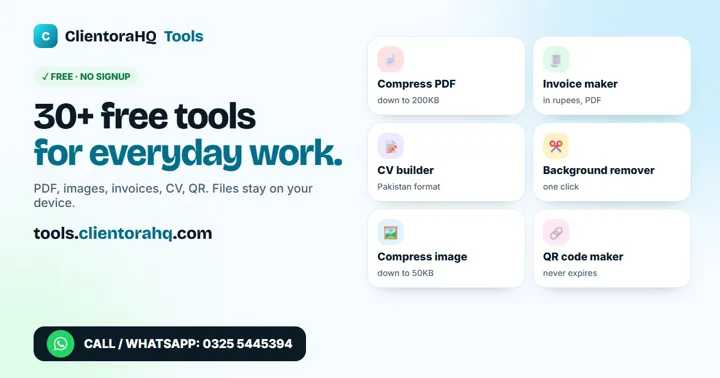
30+ free tools: CV maker, invoice in PKR, PDF and image tools. No sign-up, files stay on your device.
Open the free tools