
ClientoraHQ One
Your store in one link: products, prices, bookings, and orders on WhatsApp. Paid in rupees.
See ClientoraHQ OneNew in ClientoraHQ 1.0.23
ClientoraHQ now runs background agents for the routine work: answering the easy replies under your comments, keeping your inbox moving, posting once a day on LinkedIn and finding freelance projects that fit. Anything that touches a buyer, a price or a payment comes back to you.
$25 is deducted if you buy · Windows 10/11 + Google Chrome · Works in your own browser
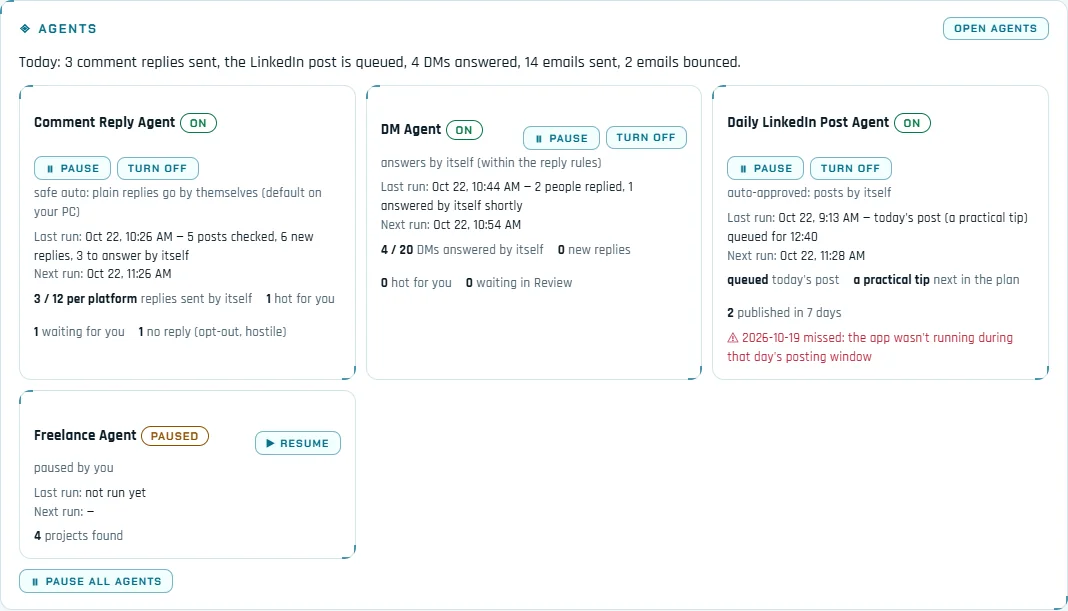
Each agent runs on its own schedule, inside your active hours and the daily limits you set. The Agents panel on Home shows what each one did today, its last and next run and any error, with Pause / Resume for each agent and Pause all when you want everything to stop. About 20 minutes before your active hours end, the Main agent sums up the day on Home, as a Windows notification and in the day report.
Plain replies under your comments get a short, human answer by themselves. Buying signals are never answered automatically: they reach you as hot leads with a draft.
Reads your LinkedIn and Instagram inbox and answers within the reply rules. Hot DMs, money, calls and meetings wait for you.
Written from your business and offer on a rotating plan, and checked before it goes out: no invented numbers, clients or testimonials.
Searches freelance sites beyond Upwork and Fiverr, scores every project and drafts proposals for the best. It never applies for you.
When you comment on posts, people answer. Most answers are a thank-you, agreement or a small question, and leaving them unanswered wastes the conversation you started. The Comment Reply agent sorts every reply under your comments with plain rules first:
It keeps to caps: at most 12 automatic replies a day per platform, 10 minutes apart, once per thread a day and once per person in 24 hours. Every decision is logged with its reason. Three modes: off, approve (it drafts, you send) or safe auto.
The DM agent checks your LinkedIn and Instagram inbox inside your active hours and answers within the reply rules, with its own daily cap and a limit per chat. Hot DMs go to Your turn; money, calls and meetings always wait for you.
The Daily LinkedIn Post agent writes and publishes one post a day on your profile, in a time window you choose (11:00 to 13:00 by default). It follows a rotating plan: a tip, an insight, a question, behind the scenes, and a soft offer at most once a week. Before anything goes out it is checked: no invented numbers, clients or testimonials, no prices, deadlines or guarantees you haven't set, and no near copy of your last 30 posts. Preview the next post or skip today. A day it can't post is marked missed and never posted late.
The Freelance Agent reads public project lists and job feeds on Freelancer.com, Guru, Freelancermap, We Work Remotely, Remote OK, Remotive, Working Nomads and Jobspresso, every few hours inside your active hours. On the boards it keeps contract, freelance and part-time work only. Each source was checked for its terms and robots rules; sites that forbid automated reading are not searched, and a site that blocks a read is left alone for a day.
Off until you turn it on. The AI answers price questions only from your own price list, never below your discount limit, and sends your payment link. A reply quoting a price that isn't on your list never goes out.
Telegram alerts and email (each hot lead, or a daily digest): who, why it's hot, the score and the drafted reply, with a link that opens the lead in the app. An hourly cap and quiet hours; held alerts are never dropped silently.
Every reply is labelled interested, question, not now, out of office, not interested or stop. Stop ends the follow-ups and adds the contact to your do-not-contact list; out of office pauses them until the return date; not now plans a check-in that waits for your approval.
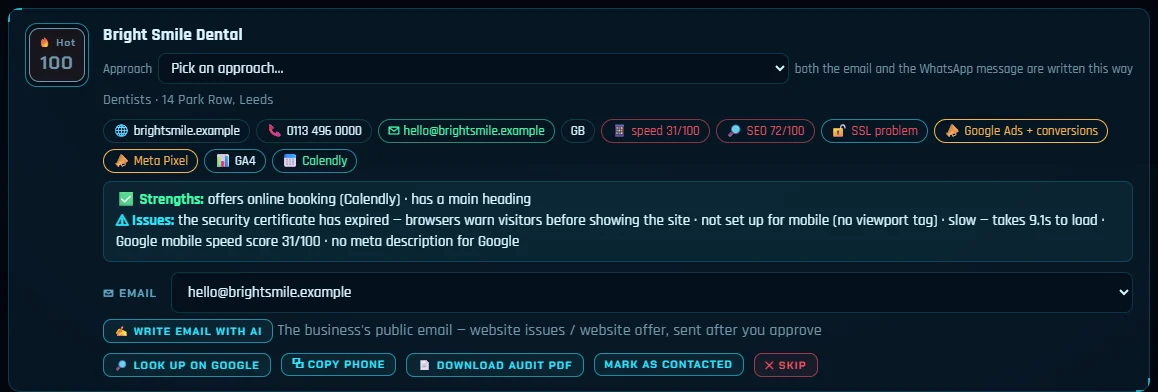
The Local Biz website audit now reads the tags already on a business's home page: Google Ads (and its conversion tracking), Meta Pixel, Google Analytics, Tag Manager, TikTok and LinkedIn tags, booking widgets and live chat, plus SSL problems a browser would warn about. That gives you true pitch facts, like a business paying for ads on a site that is slow on phones.
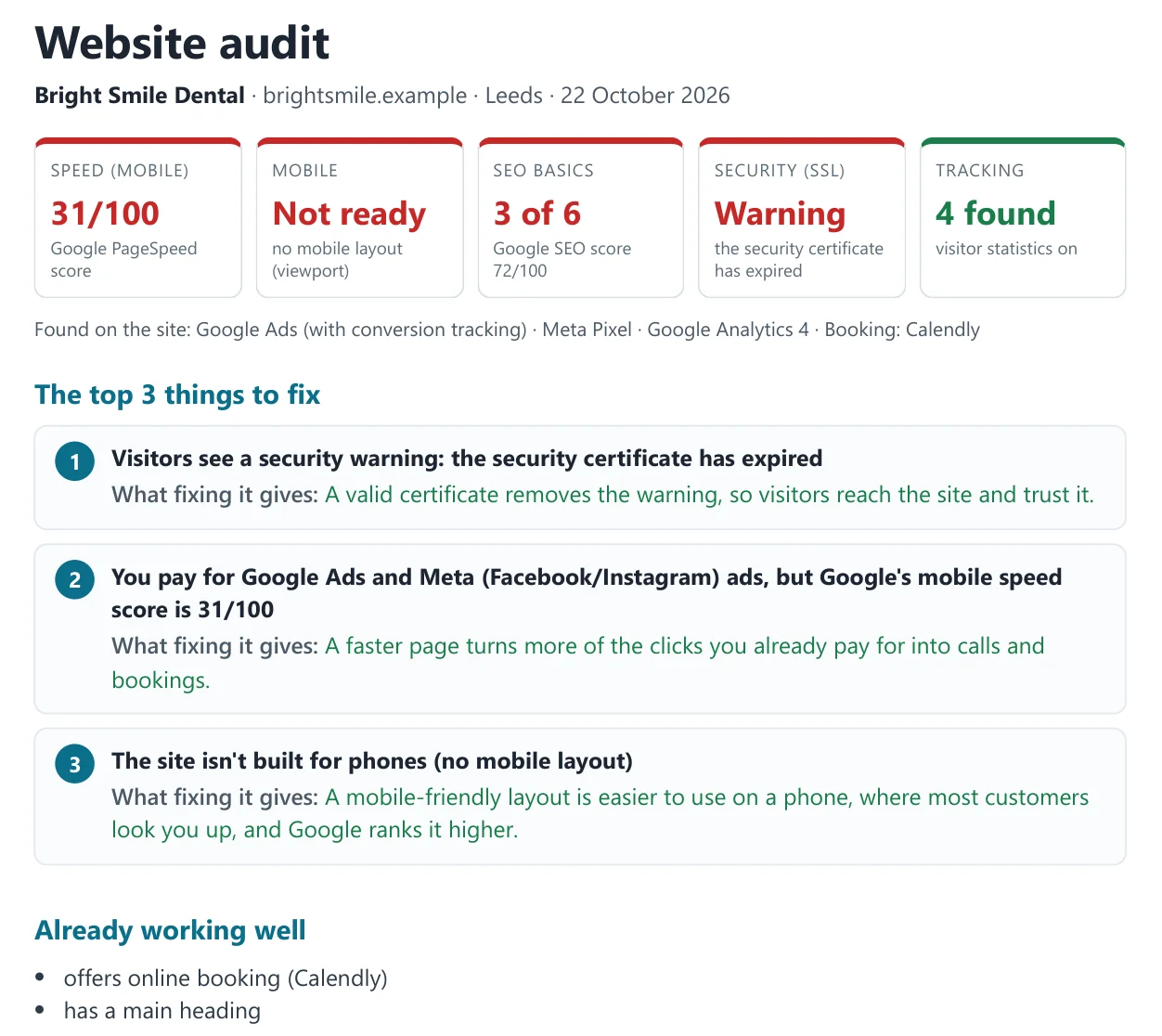
For any audited lead, Download audit PDF makes a branded one-page report with your name, logo and contact: the scores, the top three problems in plain words with what fixing each one gives, and what already works. You can attach it to the drafted email; it is never sent by itself.
For your own email, a sender-domain check reads SPF, DKIM, DMARC and MX from public DNS and shows the exact record to add for anything missing. The Email health tab learns from bounces: addresses on domains that keep bouncing are blocked, and sources that bounce too often are held for you to review.
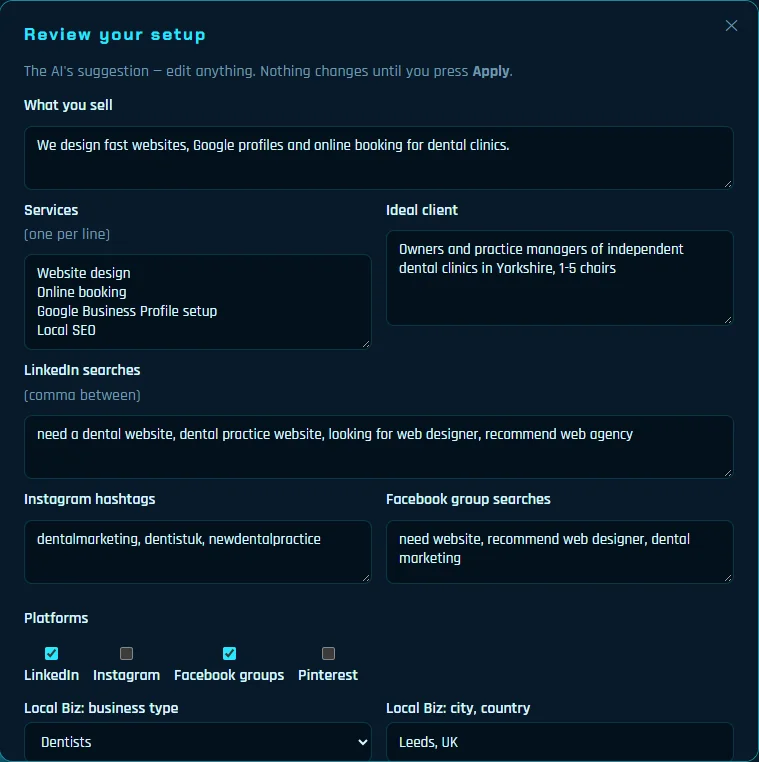
Set up free F5Bot alerts with your keywords and the app reads those alert emails from the mailbox it already uses. Each mention becomes a lead with its post link, is scored and gets a drafted reply; a hot one can trigger a phone alert. Copy reply + open post is the whole automation: you post the reply yourself. Nothing is ever posted to Reddit or Hacker News by the app.
Giving a live demo? Presentation mode masks lead names, emails, phone numbers and profile links on screen, and Demo Safe Mode holds every send until you turn it off.
Read more about the AI Pipeline the agents build on, or see the app working in the 75-second intro video.
It reads the replies people leave under your LinkedIn and Instagram comments and answers the plain ones by itself: a thank-you, agreement or a light question. It keeps to daily caps per platform, waits between answers and replies once per thread a day. Buying signals are never answered automatically: they come to you as hot leads with a drafted reply. Opt-outs and hostile replies get no answer. You can also set it to draft only, or turn it off.
No. With Deal closing turned on, the AI can answer price questions from your own price list, within your discount limit, and send your payment link. Payment confirmations, refunds, contracts and anything your price list doesn't cover always come to you. Deal closing is off until you turn it on.
Freelancer.com, Guru, Freelancermap, We Work Remotely, Remote OK, Remotive, Working Nomads and Jobspresso, read politely through their public APIs, feeds or listing pages. Sites whose terms forbid automated reading are not searched. Upwork and Fiverr are handled in the Freelance tab, where the AI writes and you paste. The agent never applies, bids or signs in for you.
No. Reddit and Hacker News leads come from F5Bot alert emails you set up with your own keywords. Each mention is scored and gets a drafted reply; you copy it, open the post and reply yourself. Nothing is posted to Reddit or Hacker News automatically.
The agents are part of the desktop app from version 1.0.23. The desktop license is $300 one time with the launch offer (normally $400), and the price can be discussed. There is a 14-day trial for $25, which is deducted if you buy. The running cost is your own Claude API usage. Ask through the contact form.
Next step
Send a message with the contact form. We reply by email, usually within one working day — with the price, the 14-day trial ($25, deducted if you buy) or a short look at the app working for your niche.
Prefer email? support@clientorahq.com
Find people posting that they need your service, and Fiverr and Upwork projects that fit — with the message written for you.
Read moreA daily pipeline of scored buyers and local businesses, with outreach, follow-ups and replies drafted — your team only takes the calls.
Read morePick a business type and a city — see who has no website, audit the weak ones and get an honest pitch ready.
Read moreFind LinkedIn posts from people asking for your service, comment and DM at a human pace, and keep your profile active.
Read moreWaalaxy automates LinkedIn and email campaigns to lists you build. ClientoraHQ finds people who posted that they need you — an honest comparison.
Read moreBoth find posts from people asking for your service. Compare platforms, pricing and what happens after the first message.
Read moreD7 gives you big exportable business lists. ClientoraHQ finds businesses without a website, audits them and writes the pitch.
Read more30 free browser tools for PDFs, images, invoices, resumes and screen recording. No upload, no sign-up, no daily limits.
Read moreReal Lahore numbers: 92% of cafes, bakeries and salons on the map list no website. How web designers in Pakistan can find and pitch them.
Read moreNo-Site Search finds businesses with no website for a monthly fee. ClientoraHQ does that too, then audits, writes the pitch and tracks replies.
Read moreFrom the ClientoraHQ family
Your store in one link: products, prices, bookings, and orders on WhatsApp. Paid in rupees.
See ClientoraHQ One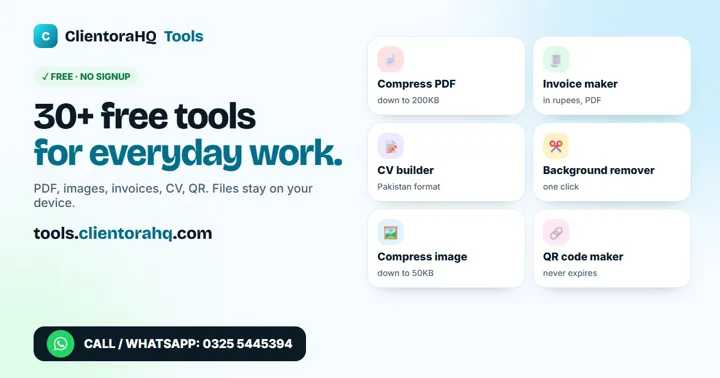
30+ free tools: CV maker, invoice in PKR, PDF and image tools. No sign-up, files stay on your device.
Open the free tools