AI lead generation for freelancers
AI lead generation for freelancers
Stop scrolling feeds and bidding blind. ClientoraHQ finds people who are posting, right now, that they need what you do — scores every one from 0 to 100 and writes a personal message you approve before it goes out.
The slow part of freelancing isn't the work
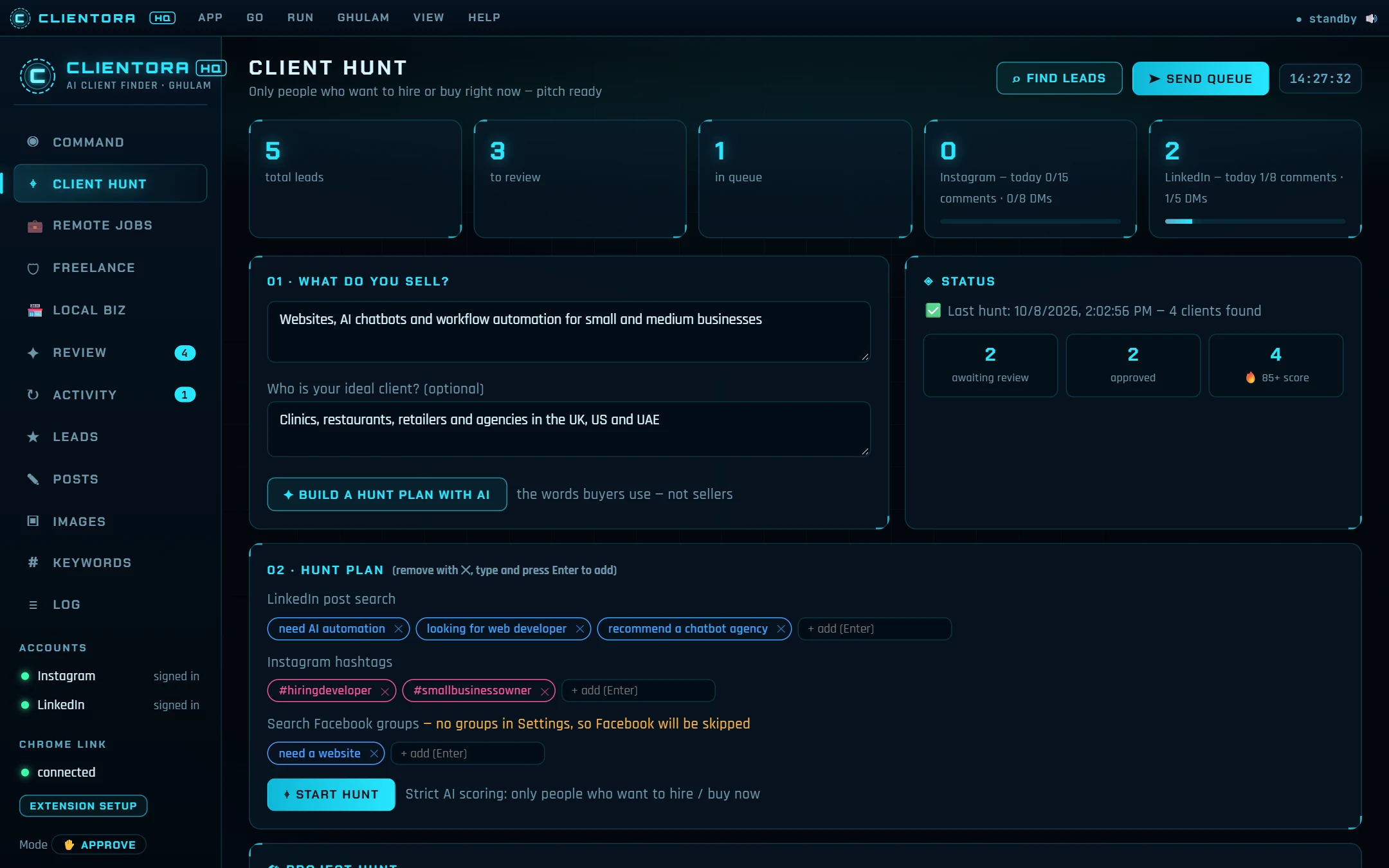
Most freelancers are good at the job and bad at the hunt — not because they lack skill, but because finding clients is mostly scrolling. Somewhere today, a clinic owner is posting "can anyone recommend a web developer?", a founder is asking for an AI chatbot, and a shop in a Facebook group wants someone to fix their slow website. By the time you see the post, ten other people have replied.
ClientoraHQ does the scrolling for you. You tell it what you sell and who you want to work with. It searches for buyer-intent posts — people asking for a service, not people selling one — and brings back only the ones worth your time.
Where it finds clients for you
LinkedIn, Instagram and Facebook groups
Posts like "need a developer", "looking for an agency" or "recommend a chatbot agency" — searched with the phrases buyers use, not your sales words.
Local businesses without a website
Pick a business type and a city. See who has no site at all, and get an honest audit of the ones that are slow or dated.
Fiverr and Upwork
Projects that match your skills, crowded ones flagged, and a proposal written for the best. The AI writes; you paste — no bot on platforms that ban them.
Only the leads worth a message
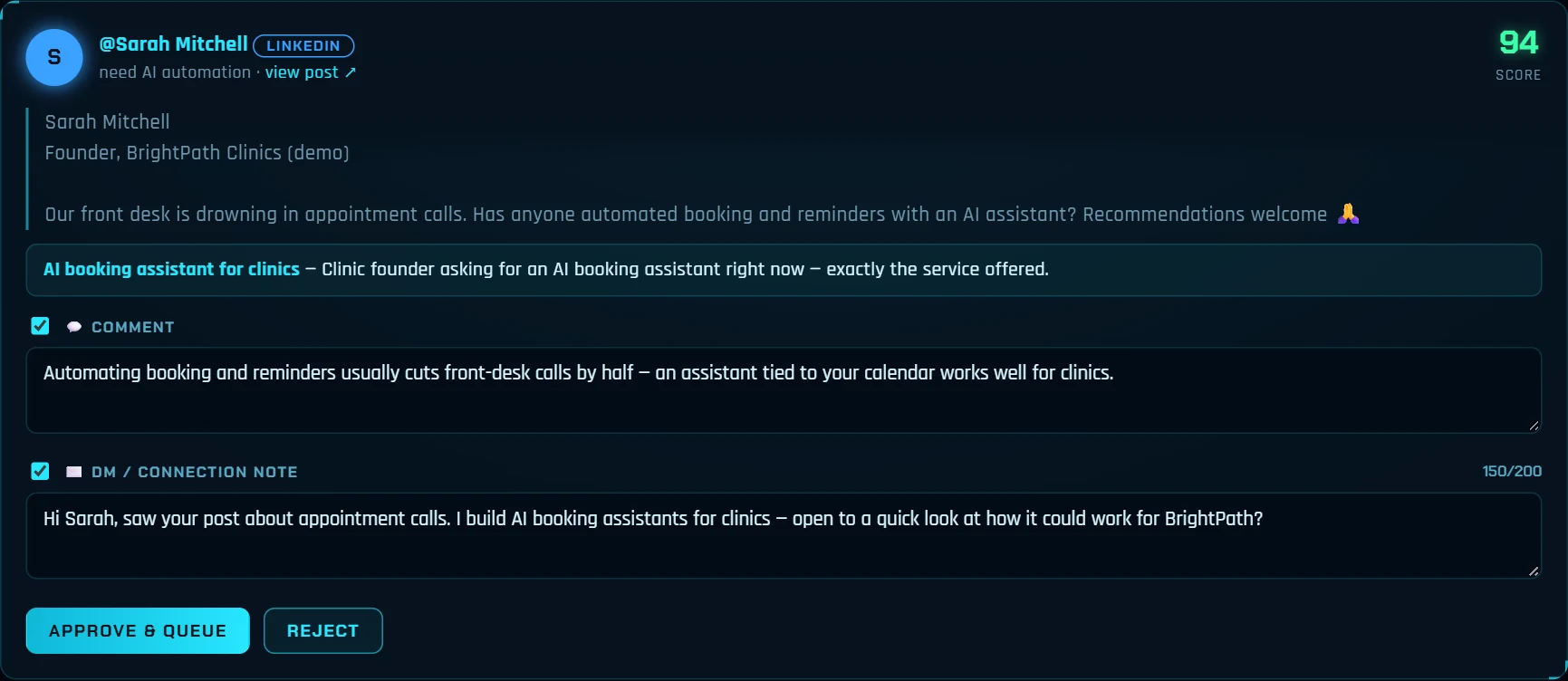
Every post is read by the AI and scored from 0 to 100, with the reason written next to it: is this a real buyer, does it match your service, how urgent is it, is there a way to reach them? Only leads that score 70 or more are ever contacted. Sellers, job-seekers and people "just curious" are filtered out before they reach you.
Messages that sound like you, not a template
For each lead, the AI writes a short comment and a personal DM based on what that person posted — the problem they described, their business, their words. Every draft passes strict guard checks before it reaches your queue, so what you approve reads like a person starting a conversation, not a pitch pasted to a hundred people. Pitching a Pakistani business? The message can be written in Roman Urdu, the way people there actually text.
- Describe your service and, if you like, your ideal client: "Websites and AI chatbots for clinics and restaurants in the UK and UAE".
- The AI builds a hunt plan — LinkedIn searches, Instagram hashtags and Facebook group phrases — which you can edit.
- Start the hunt. Leads come back scored, with a comment and DM drafted for each.
- Approve or reject. Approved messages go to a queue and are sent at a human pace, inside your daily limits.
Replies handled, the deal left to you
When someone replies, the AI reads it and keeps the conversation going: it answers simple questions, remembers "get back to me next month" and closes a "no thanks" politely. The moment a lead asks about price, wants a call or is ready to start, it stops and hands the conversation to you — with a notification and ready replies to choose from.
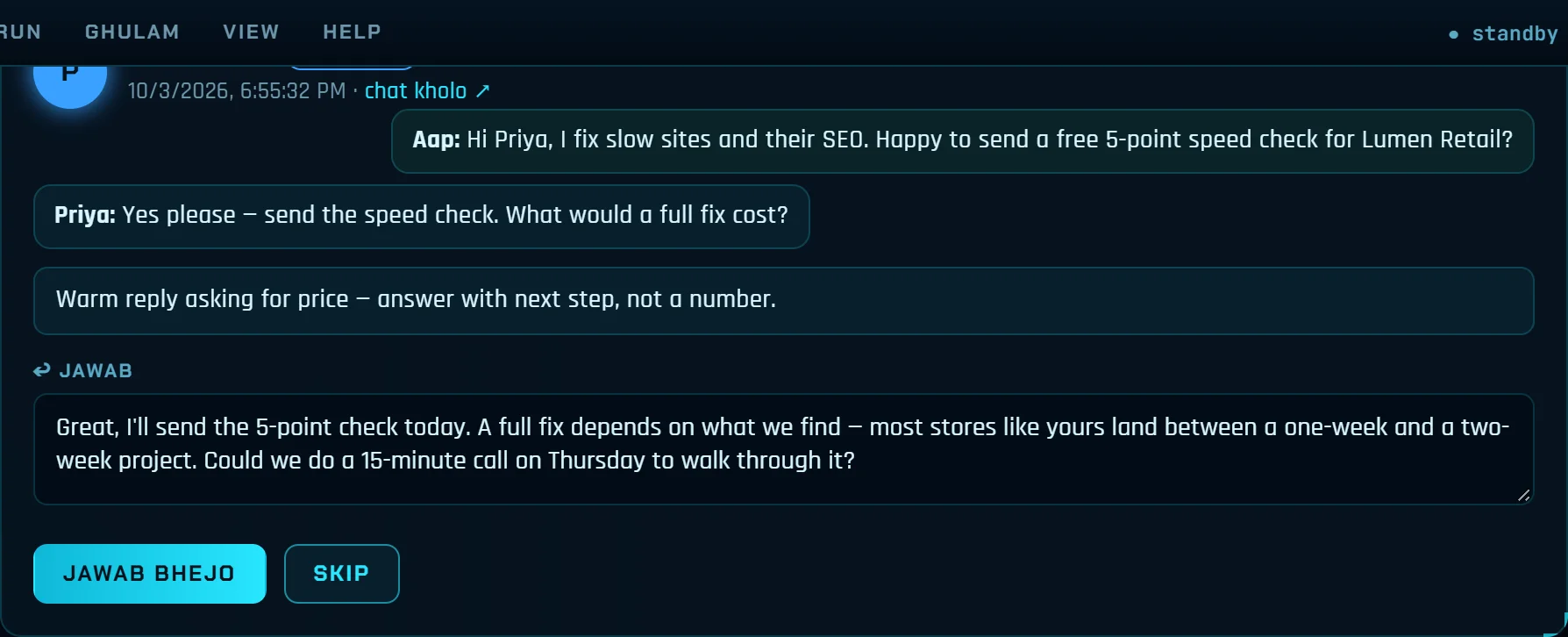
You choose how hands-on it is. Safe mode: you approve every message. Auto-pilot: emails and first DMs go out by themselves, a few an hour, to Hot and Warm leads only, within your limits. Prices, deals and WhatsApp messages always wait for you.
Built for one person, priced like it
ClientoraHQ is a Windows desktop app with a Chrome extension that works in your own browser, so your accounts stay yours. The desktop licence is $400 one time (no subscription), with a 14-day trial for $25 that is deducted if you buy. Monthly web plans starting at $5 are coming soon on platform.clientorahq.com.
Want to test the idea first? Our free Buyer Phrase Generator shows the exact words buyers in your niche post, and the Freelance Price Calculator helps you quote the work once they reply.
Questions people ask
Is ClientoraHQ a bot that spams people?
No. It runs at a human pace inside your own Chrome, with daily limits per platform. Only leads that score 70 or more are contacted, and in Safe mode you approve every message before it is sent.
Do I have to give it my LinkedIn or Instagram password?
Never. A small Chrome extension works in the Chrome you already use, where you are already logged in.
Does it bid on Fiverr or Upwork for me?
No — those platforms don't allow bots. The Freelance tab writes proposals, gig text and profile copy; you paste and send them yourself, so your account is never at risk.
What do I need to run it?
A Windows 10 or 11 PC, Google Chrome and a Claude API key for the desktop app. The monthly web plans (from $5, coming soon) include the AI, so no key is needed there.
How much does it cost?
The desktop licence is $400, one time — and the price can be discussed. There is a 14-day trial for $25, which is deducted if you buy. Ask through the contact form.
Next step
Tell us your service and who you want as a client
Send a message with the contact form. We reply by email, usually within one working day — with the price, the 14-day trial ($25, deducted if you buy) or a short look at the app working for your niche.
Prefer email? support@clientorahq.com
Keep exploring
AI lead generation for agencies
A daily pipeline of scored buyers and local businesses, with outreach, follow-ups and replies drafted — your team only takes the calls.
Read moreFind local businesses without a website
Pick a business type and a city — see who has no website, audit the weak ones and get an honest pitch ready.
Read moreA LinkedIn lead generation tool that finds buyers, not profiles
Find LinkedIn posts from people asking for your service, comment and DM at a human pace, and keep your profile active.
Read moreA Waalaxy alternative that starts from buyer intent
Waalaxy automates LinkedIn and email campaigns to lists you build. ClientoraHQ finds people who posted that they need you — an honest comparison.
Read moreAn EvenLeads alternative with a one-time price
Both find posts from people asking for your service. Compare platforms, pricing and what happens after the first message.
Read moreA D7 Lead Finder alternative that writes the pitch too
D7 gives you big exportable business lists. ClientoraHQ finds businesses without a website, audits them and writes the pitch.
Read more30 free tools, and your files never leave your device
30 free browser tools for PDFs, images, invoices, resumes and screen recording. No upload, no sign-up, no daily limits.
Read more